




Hello! I am Ogamari.
My second daughter, who was born in September, has more than doubled in weight. Watching her grow up so fast makes me feel excited and a little sad at the same time. I would like to recommend Scaniverse, an app that allows you to easily scan your baby in 3D with a single smartphone! With this app, you can leave your baby's cute appearance as data that can be viewed from anywhere in 360 degrees!
An application that allows you to easily create 3D data with your smartphone!
Scaniverse is a free smartphone app by Niantec, the company behind the Pokemon GO smartphone app. It allows users to easily create 3D images of objects captured with a smartphone camera!
The language of the application is English, but it is easy to use!
To start scanning, tap the "+" icon at the bottom of the screen.

In Scaniverse, you can choose between "Slplat" and "Mesh" scanning formats.
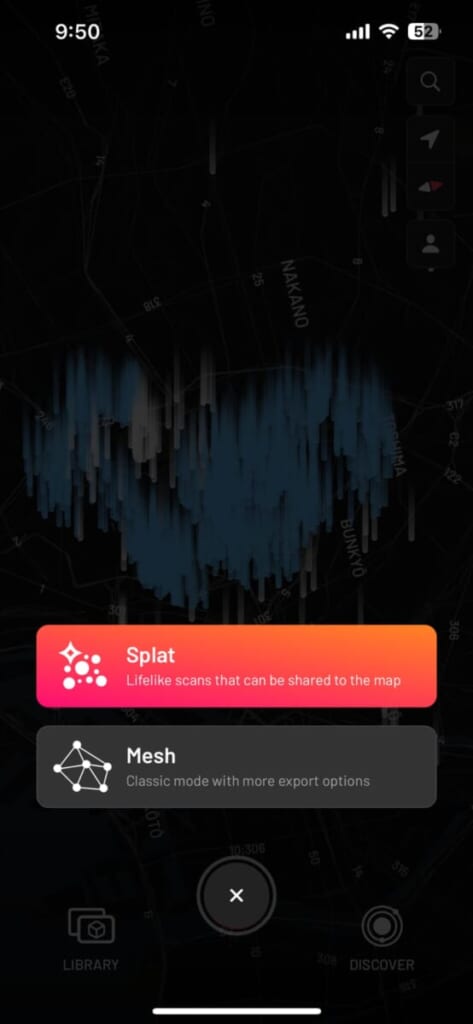
They say that splat is suitable when you want to keep details such as lighting and light reflections realistic, while mesh is suitable for models without a background or for accurate measurements.
If you select the splat, you will be asked if you want to upload it to the map after scanning, so please be careful not to upload it by mistake if you are scanning at home.
This time we will select a mesh.
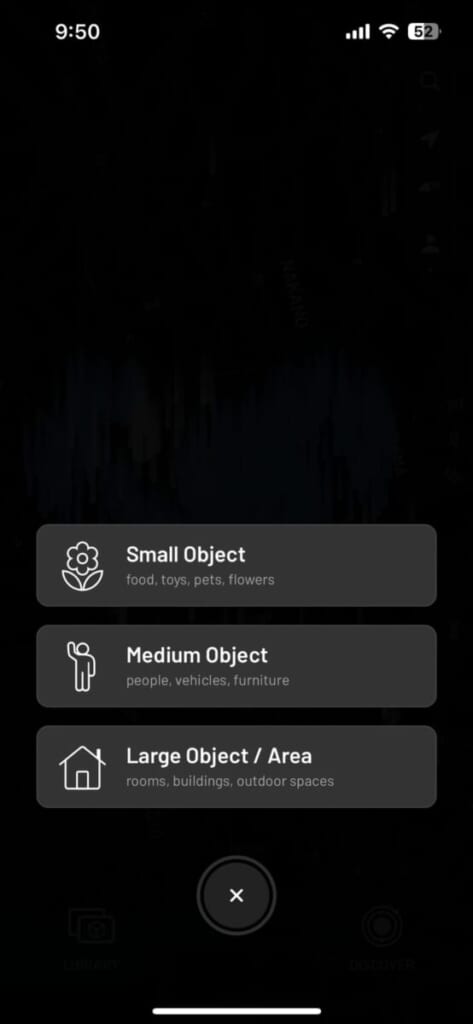
After selecting the scan format, next select the size of the object you wish to scan. Small Object" for small objects such as flowers or toys, "Medium Object" for people or furniture, and "Large Object / Area" for buildings or an entire space. In this case, I chose "Medium Object" because I am scanning a baby.
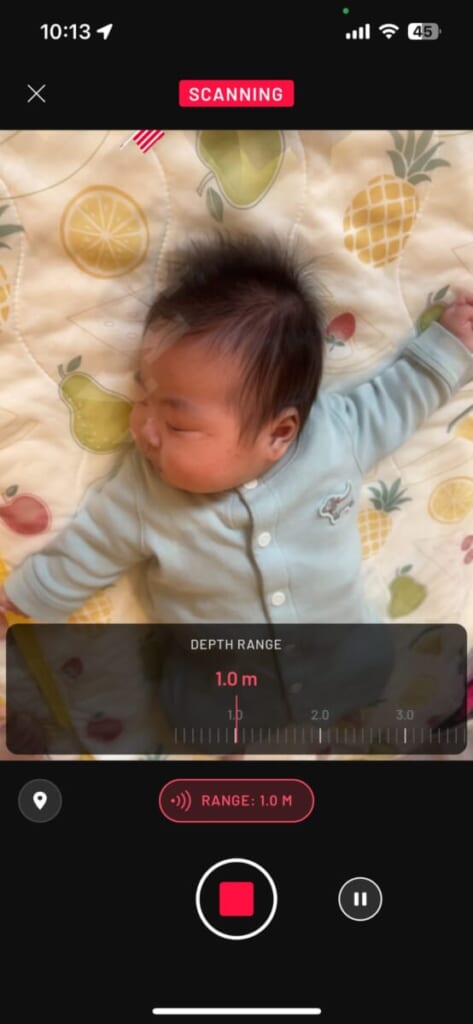
Once you select the size, the camera will start and you can slowly move your phone around the baby to capture the entire image. to get a 360-degree scan, take pictures from all angles and collect data!
When the scan is stopped, the user is taken to a screen for selecting how to process the scan results.
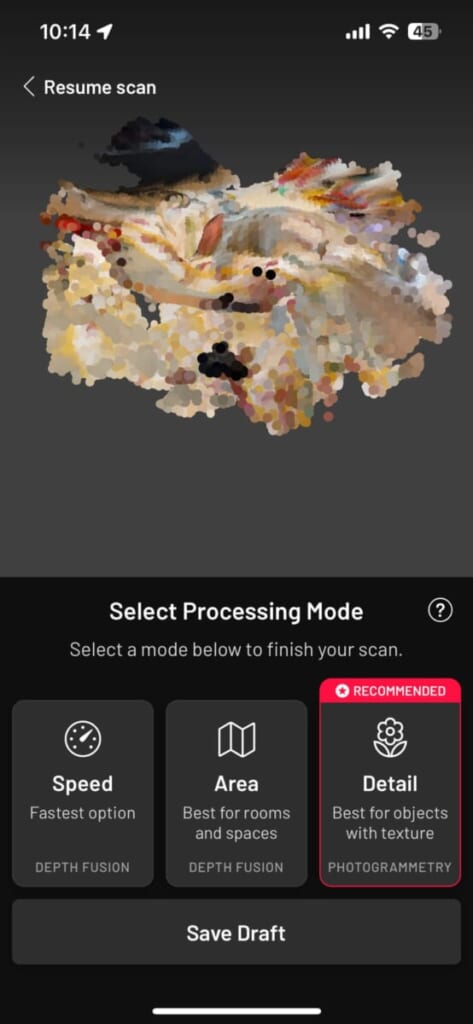
Select "Area" for a room or space, "Detail" if you want to preserve the texture of the object, and "Speed" if you want to see the scan results quickly. In this case, "Detail" is selected.
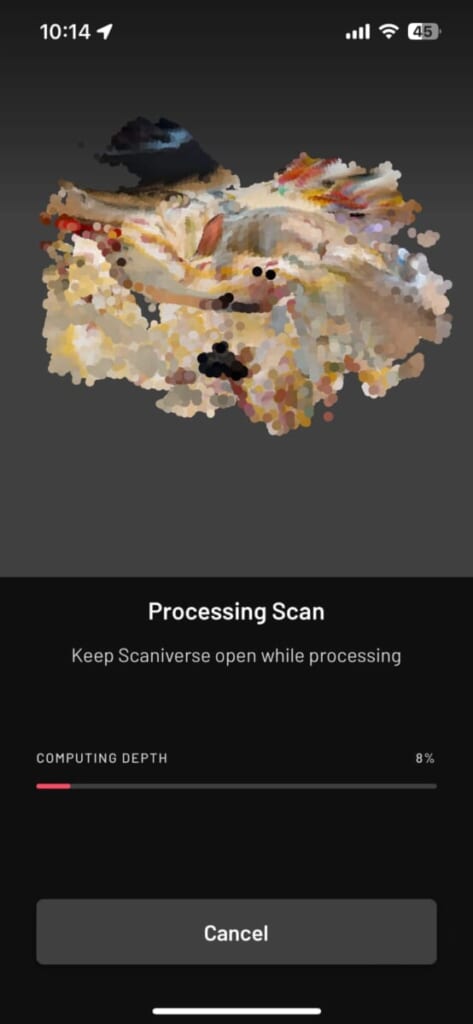
Once the processing method is determined, wait for the data conversion to begin.
Once the process is complete, you can edit the data. I trimmed the area because it was too messy around me (laughs).
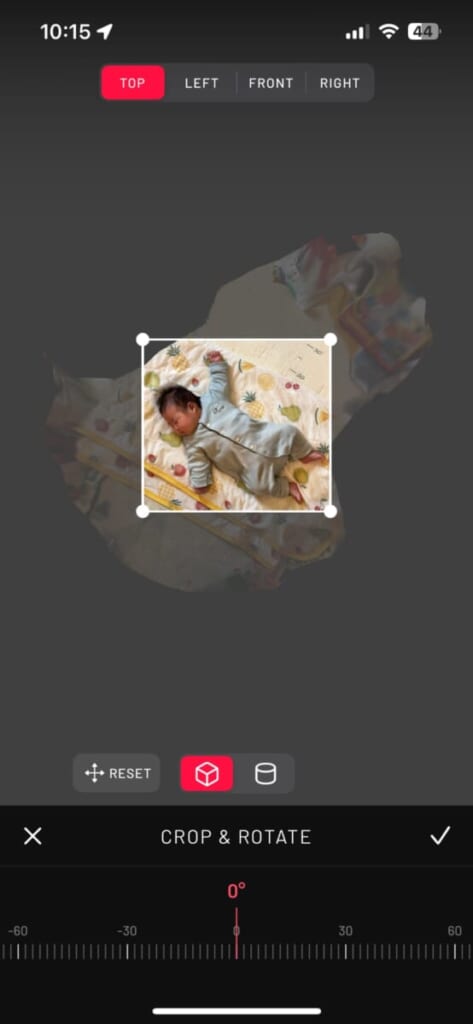
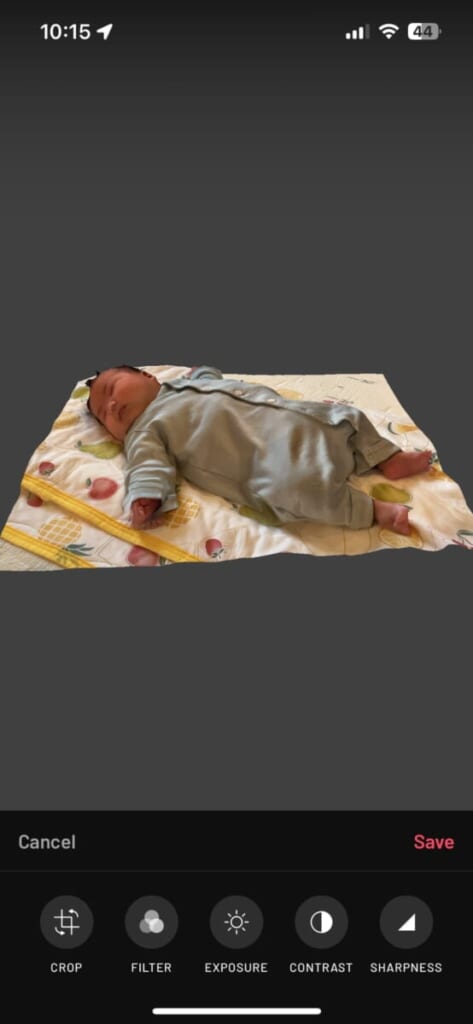
When editing is complete, tap "Save" to save.
The resulting data can be moved and enlarged with your finger, so you can enjoy your baby at any time from any angle you like! Amazing!
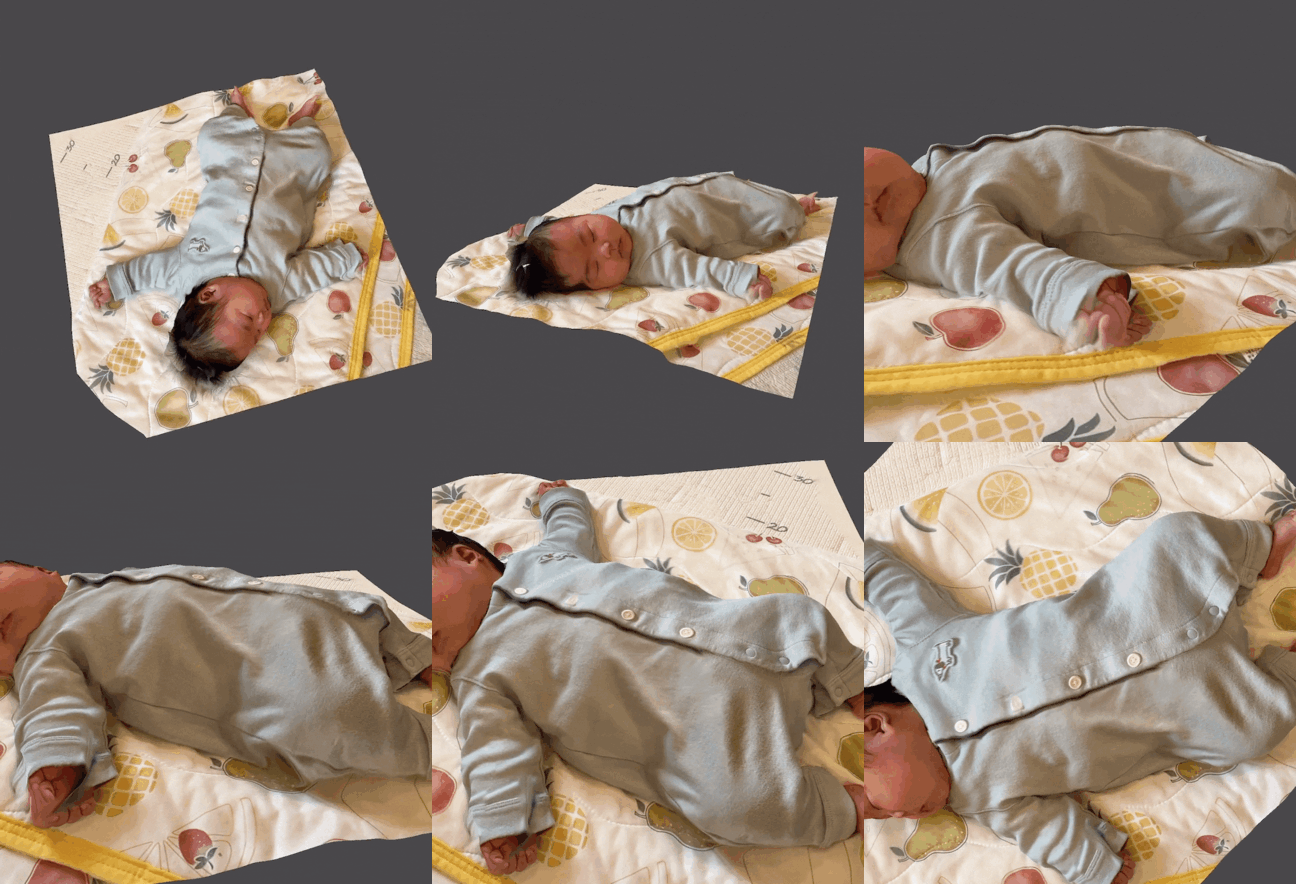
If I take a picture of the whole room, I can see how small the chiming sleeping baby is, so next time I'd like to take a picture of it properly tidied up...!
Tips for successful scanning
It is difficult to scan well when you are not used to it, and I tried many times, but there are a few tricks, so please be aware of them!
Minimize movement
It is recommended that you scan during naptime, as you will not be able to scan accurately if the subject is moving!
Move at an even speed.
It seems that moving the phone at a slow, even speed allows for accurate scanning.
Scanning with a single stroke
Scanning the same area multiple times will result in duplicate data being generated. Try to scan as many strokes as possible.
Babies grow up so fast, and with Scaniverse, you can always remember their unique texture. We hope you will give it a try!
Child of the Week.
We went to the Anpanman show. At the handshake session after the show, my eldest daughter shook hands with only Katsubushiman, skipping over him...sorry Katsubushiman...








Ogamari (IT enthusiast)
A new mother who gave birth in May 2010, she is a freelance website developer, computer instructor, and programming tutor. Her hobbies are watching comedy and bowling (she is a bowler, but is taking a break due to the birth of her child).
Operates "MOMIT," an online IT community for moms only.
https://momit.jp/